Context
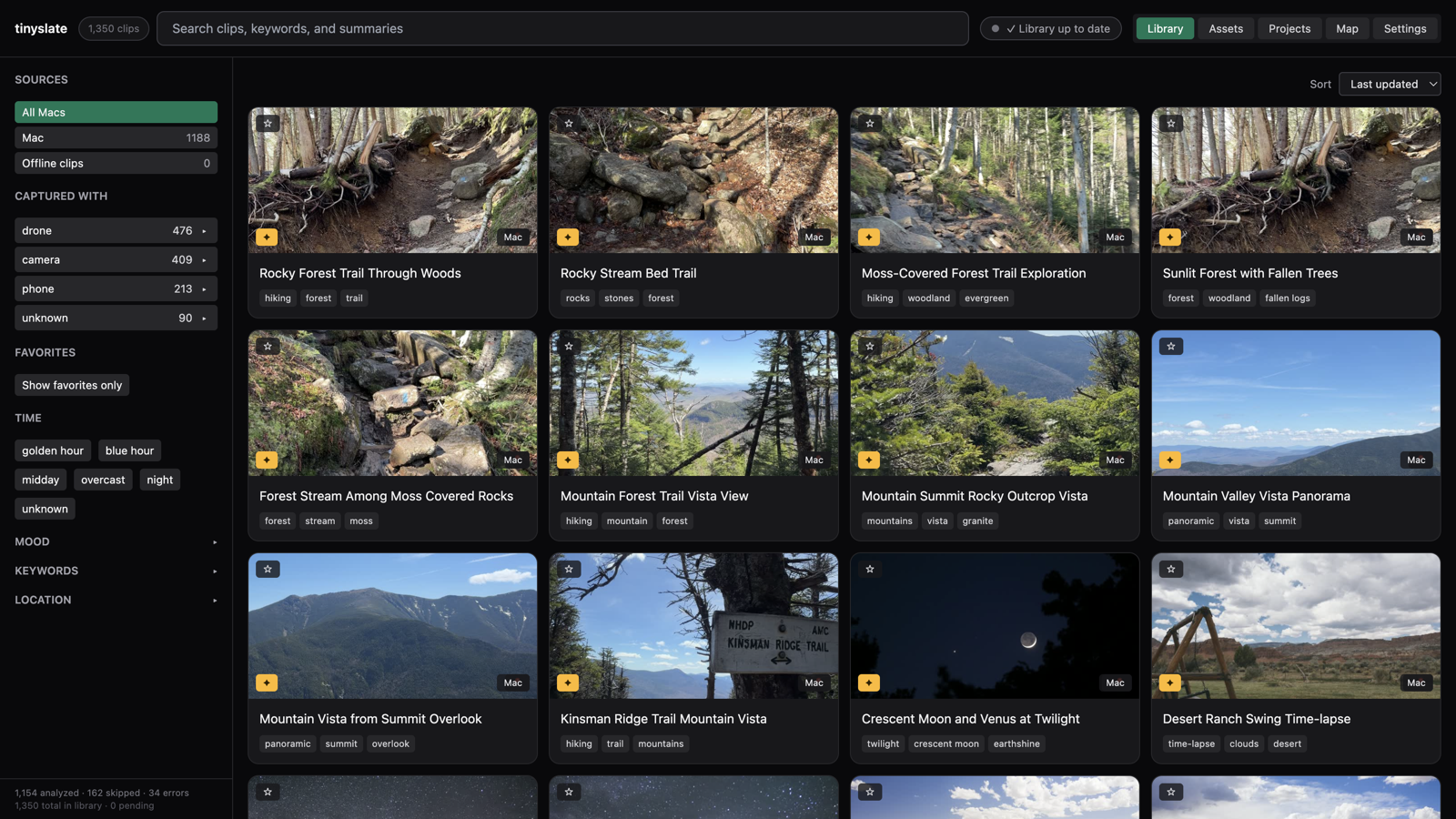
TinySlate is a Mac desktop app for editors who sit on hours of unorganized footage. Point it at a watch folder, and it uses vision AI to tag every clip — title, keywords, mood, location, camera motion — then lets you search, map, storyboard, and export straight into Final Cut Pro, Premiere, or DaVinci Resolve.
I designed and built the whole thing: product UX, React UI, Electron shell, SQLite data layer, ffmpeg pipeline, and Gumroad licensing. Most of the core app came together through sustained Cursor sessions; a structured release prep pass in mid-2026 tightened licensing, AI provider setup, and the marketing site before ship.
The problem
If you shoot a lot — drone, travel, documentary — your drives fill up with clips you can’t find later. Scrubbing through folders doesn’t scale. Cloud tagging services exist, but editors often want local files, their own AI provider, and a clean handoff to the NLE they already use.
TinySlate sits in that gap: watch folders locally, analyze with your API key (Claude, GPT-4o, Gemini, or Ollama), search instantly, then build a rough sequence before opening an editor.
What I designed
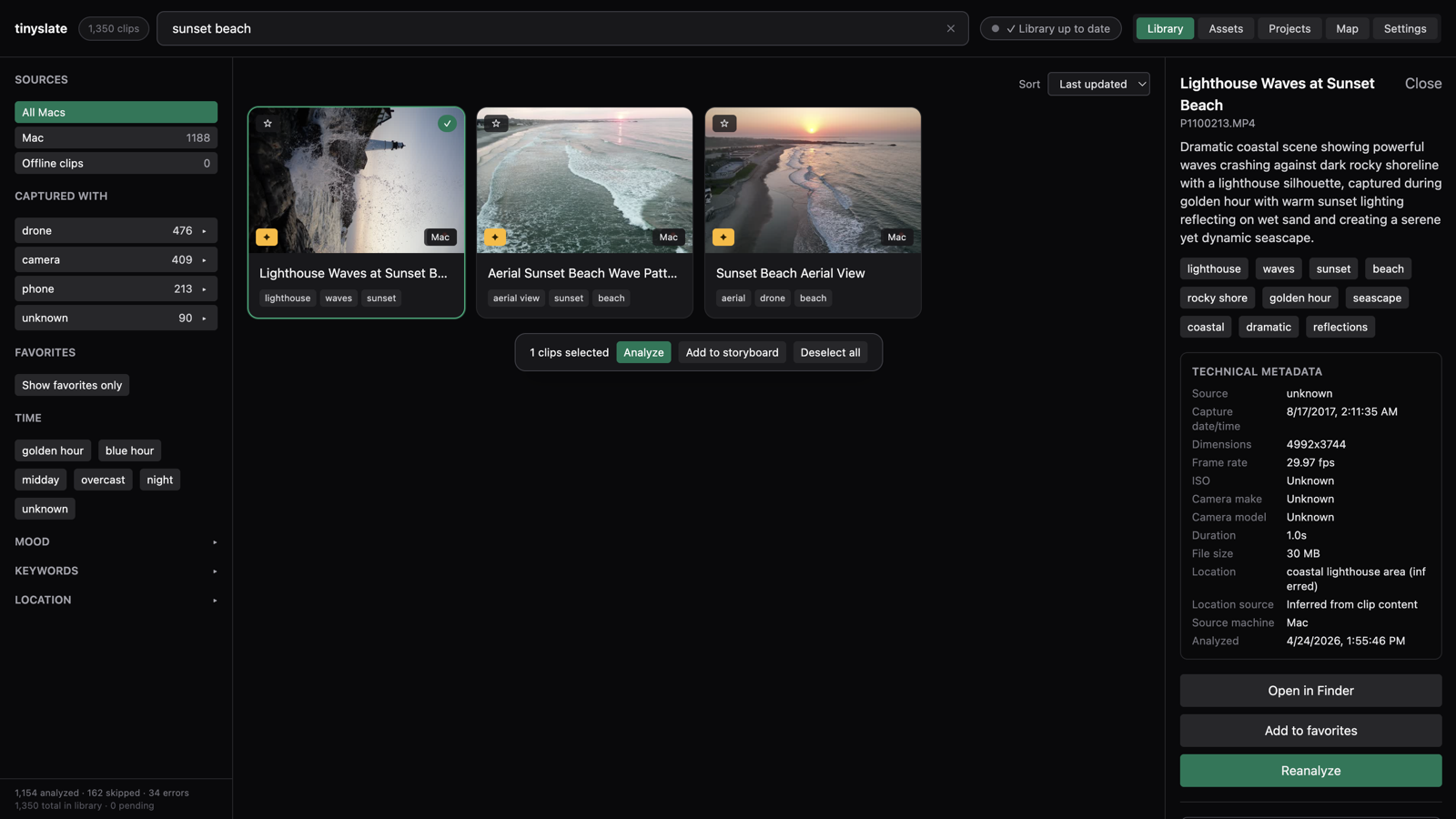
Three-panel library. Collapsible filter sidebar, clip grid, and a 320px detail drawer. Arrow keys move between clips; Escape closes the panel. Keeps browsing fast when you’re hunting for one shot.
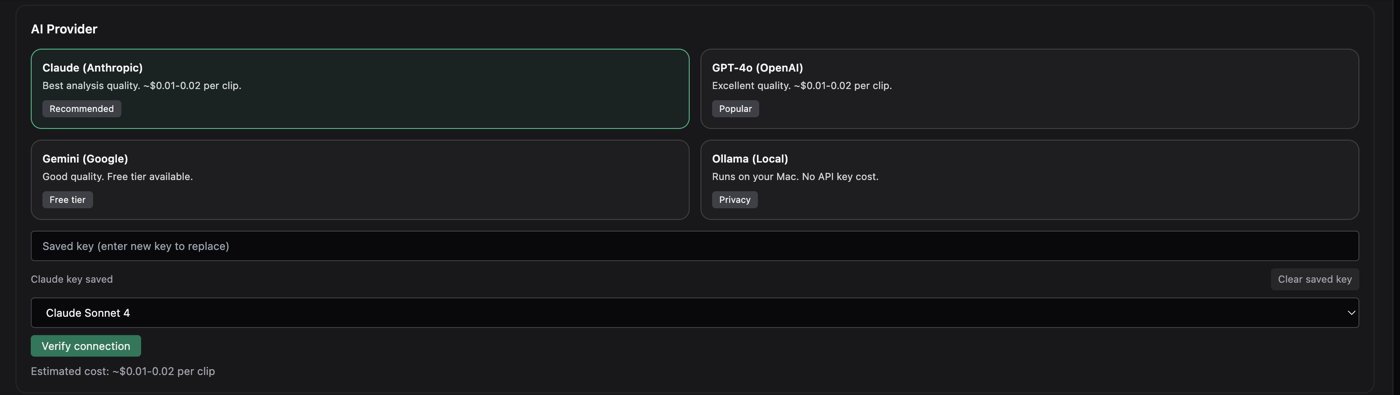
BYO AI onboarding. First launch walks through provider choice — four cards, not a generic API key field — then connection verify and model picker. Users stay in control of cost and privacy.
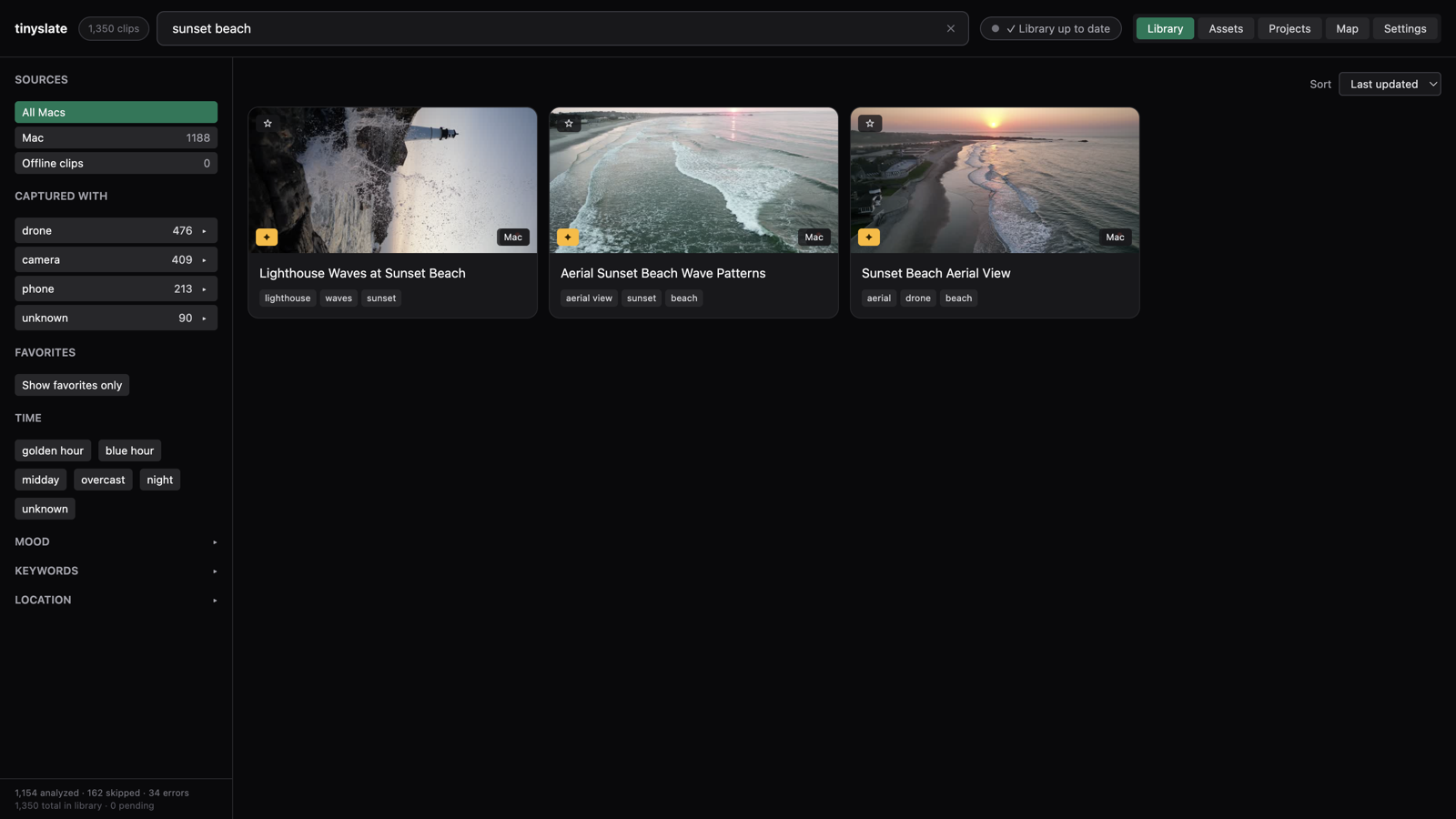
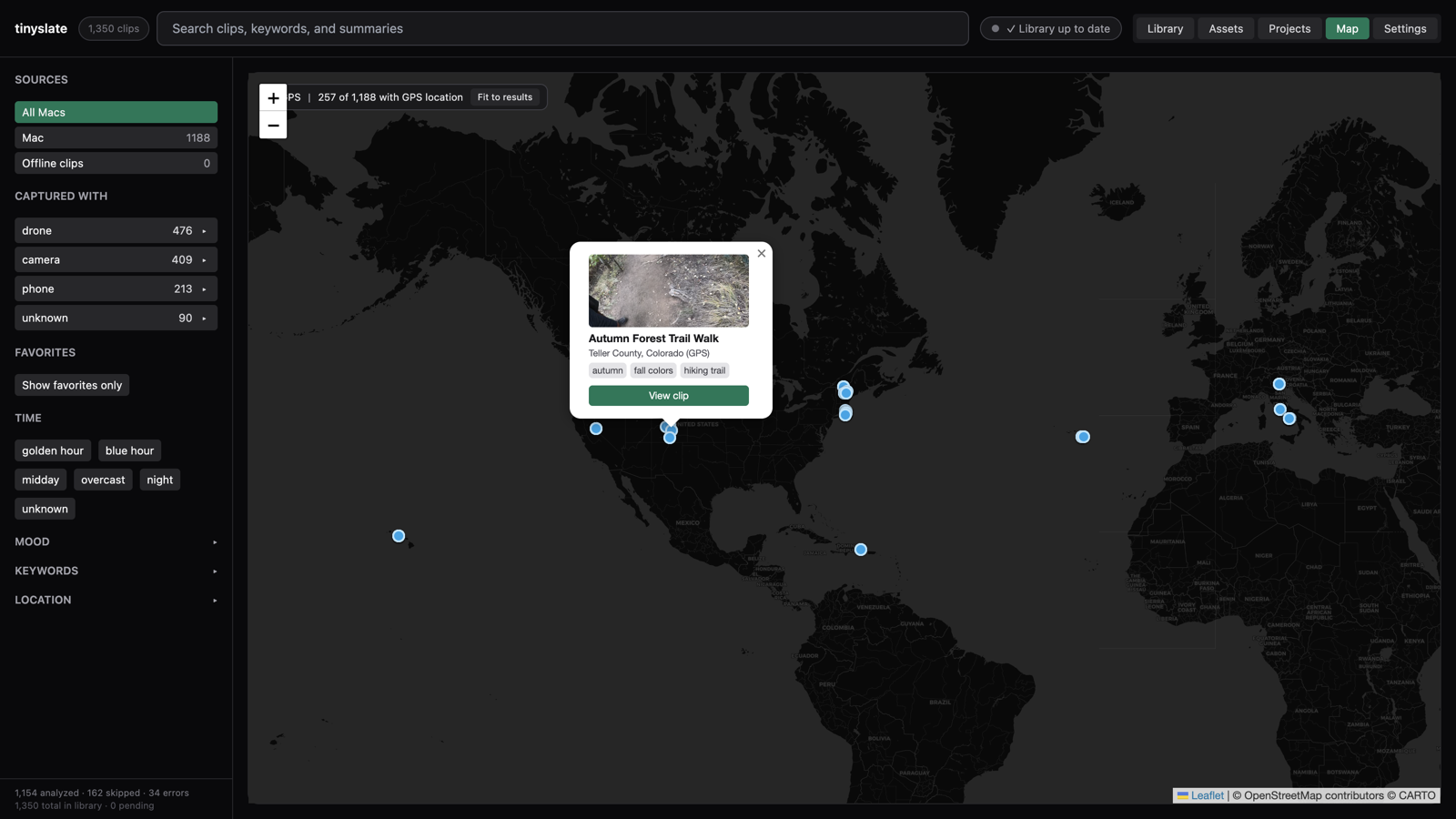
Search that matches how editors think. Text search across titles, summaries, and keywords, plus sidebar filters for mood, location, camera, time of day, rating, and favorites.
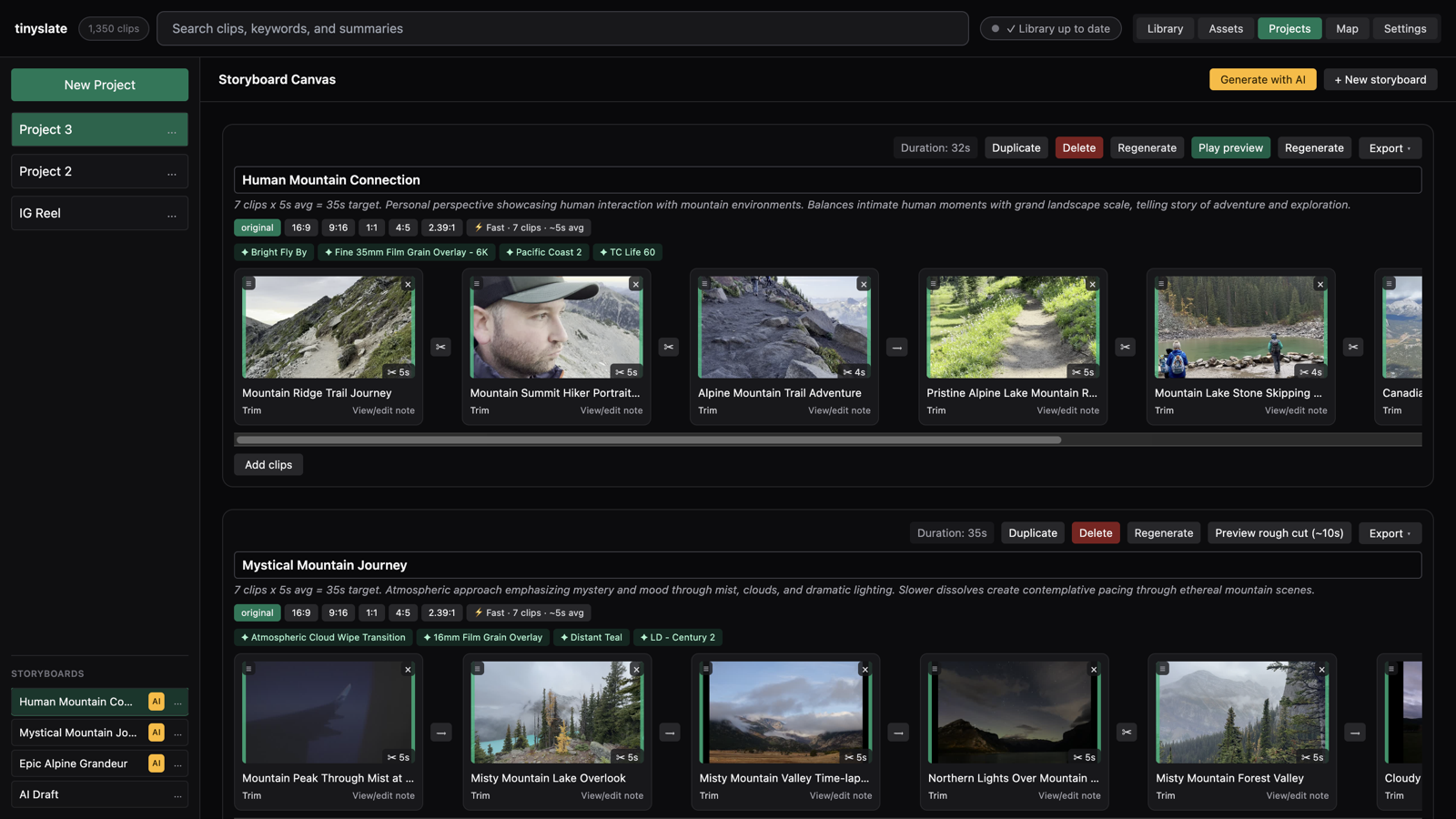
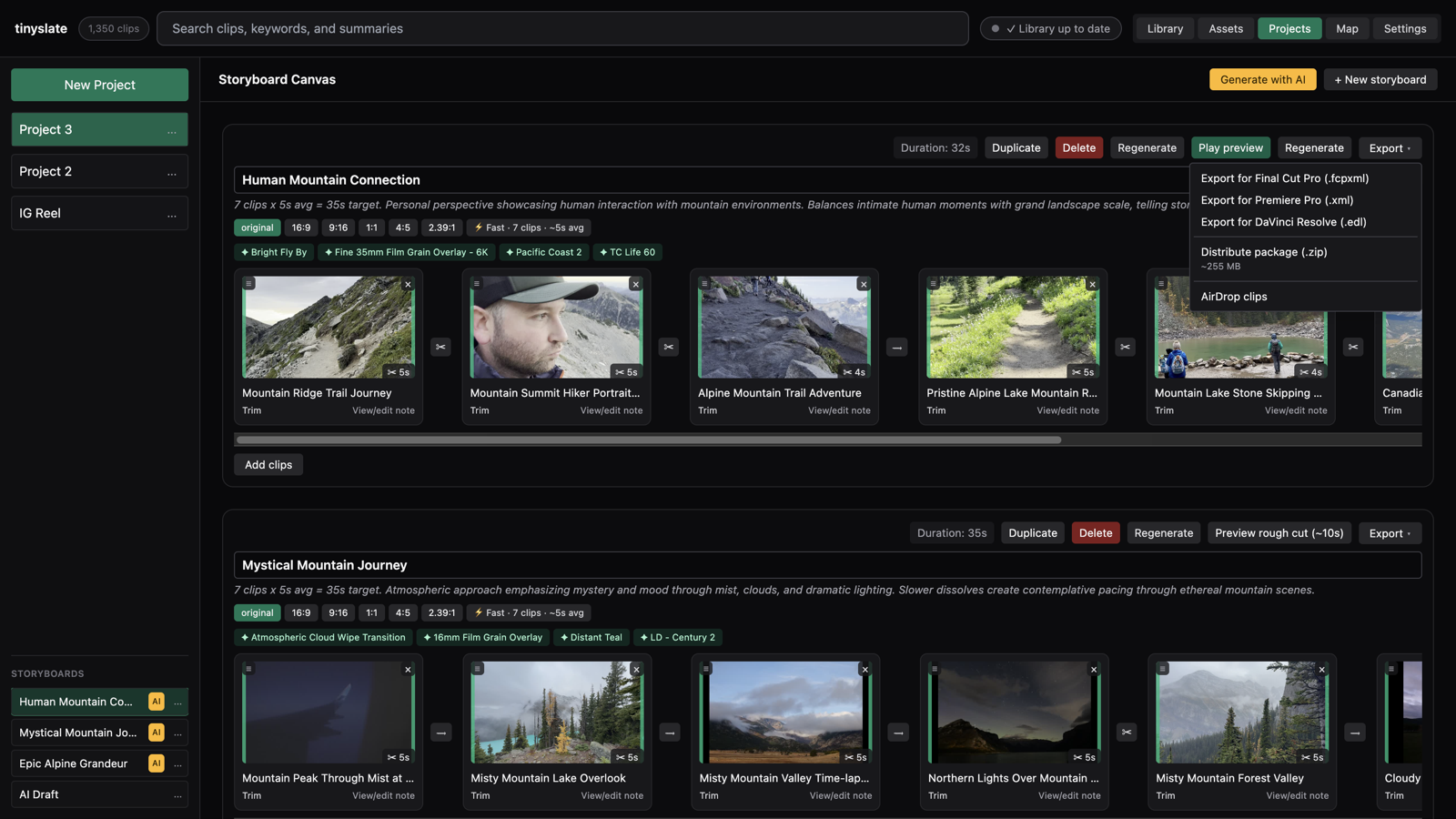
Storyboards inside the app. Drag clips into lanes, trim and reorder, then generate a rough-cut proxy to preview the sequence. Two AI modes: pick from your library or draft from a written concept.
Export without re-building. One menu sends FCPXML, Premiere XML, or Resolve EDL — plus a distribute package when clips span multiple drives.
Features worth calling out
Map view for GPS-tagged clips — useful for travel and drone libraries where location is how you remember a shot.
Asset library for LUTs, overlays, transitions, and sound. Creative recommendations suggest grade and sound pairings per clip, matched against what you actually own.
Metadata write-back via XMP sidecars or embedded tags, so search terms travel with the file outside the app.
How it was built
Stack: Electron, React 19, TypeScript, Tailwind, Zustand, SQLite (better-sqlite3), ffmpeg for frame extraction and proxy generation, and provider SDKs for Claude, OpenAI, Gemini, and Ollama.
Architecture: Main process handles file watching, analysis queue, licensing, and export. Renderer is a standard React SPA with a typed preload bridge. Analysis runs in a background queue with rate limiting and clear progress in the header.
Cursor’s role: I used Cursor throughout — for feature work, refactors, and a spec-driven release prep pass (licensing wire-up, dynamic model picker, multi-provider recommendations, landing page refresh). Having structured task briefs and review checkpoints kept agent-assisted work from turning into spaghetti.
Outcome
TinySlate ships as a commercial Mac app ($49 on Gumroad) with a 7-day / 250-clip trial. The landing page at tinyslate.app uses real app screenshots — the same ones in this case study.
For me, the project is the clearest example of what I mean by sitting between design and code: every interaction decision had to survive contact with ffmpeg paths, queue states, and offline drive edge cases. AI helped me move faster, but the product only works because the UX was designed around how editors actually work.