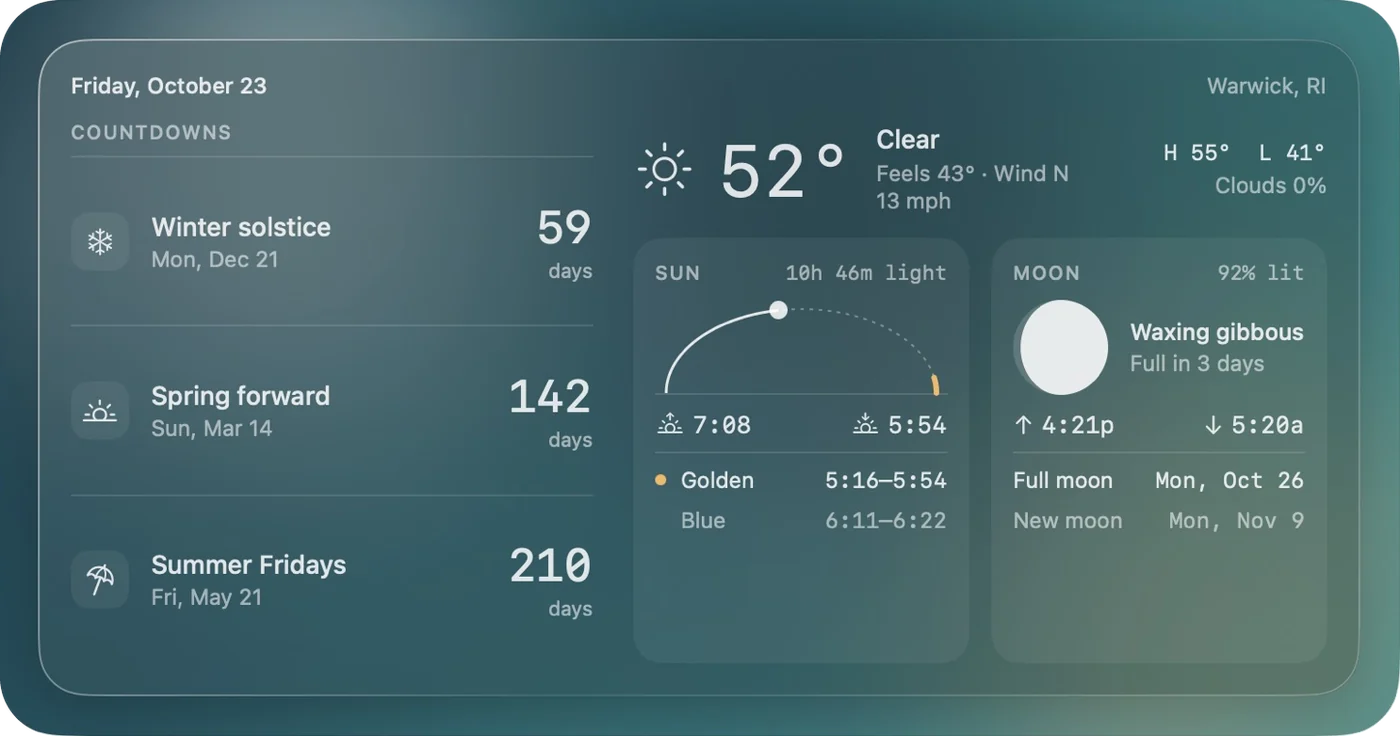
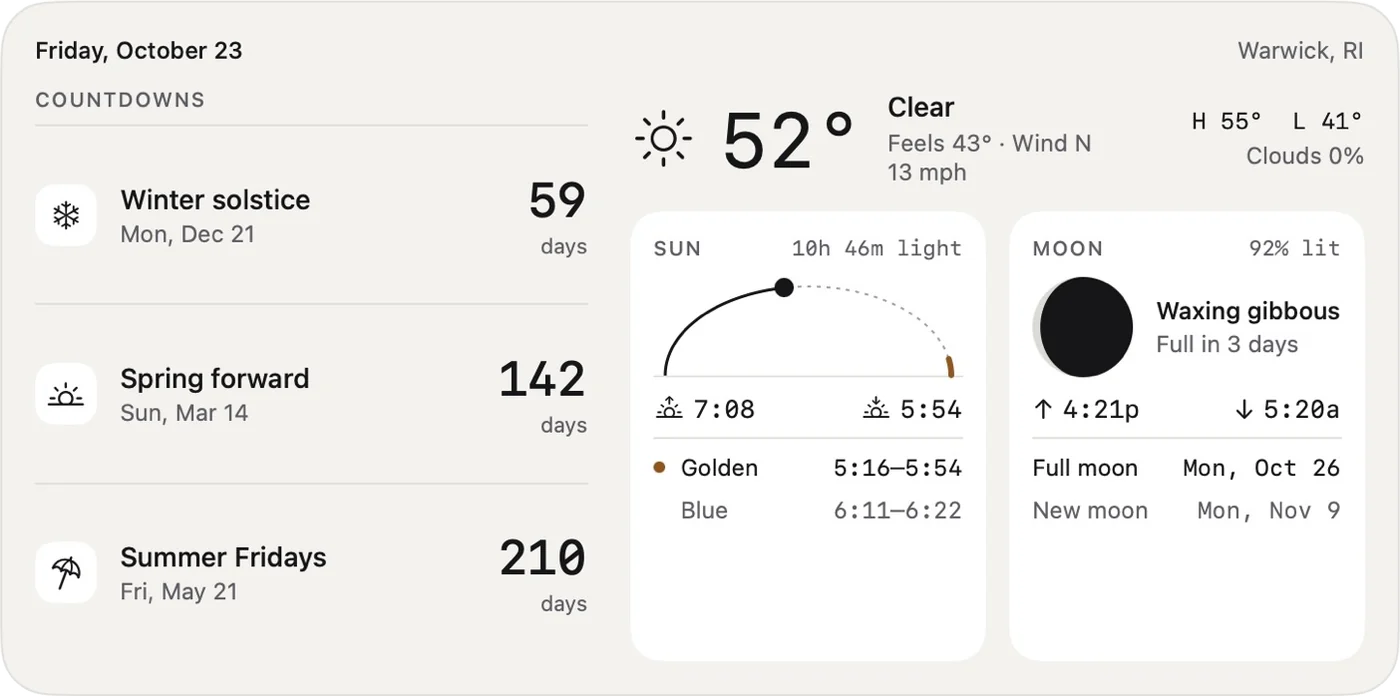
Day Board is a native macOS app with a set of desktop widgets. It shows countdowns to the days I care about, the local weather, sun times with golden and blue hour, and the moon phase with moonrise and moonset, all in one monochrome, Liquid Glass–ready view. I designed it, built it in SwiftUI and WidgetKit, and shipped it as a signed, notarized Mac app that I use every day.
The problem
My days revolve around light and dates. As a photographer, I want to know when golden hour starts and where the moon will be. As a designer working remotely, I look forward to milestones like Summer Fridays and the first evening after daylight saving time begins.
That information was scattered across a weather app, a photo-planning app, and calendar math in my head. The system widgets cover weather, but none of them combine countdowns with the sky in a way that suits how I work. I wanted one glanceable panel on my desktop that answers “how long until” and “what will the light be like tonight.”
What it does
Day Board ships four widgets and a small companion app.
| Widget | Size | Shows |
|---|---|---|
| Day Board | Extra large | Four countdowns, current weather, a sun card, and a moon card |
| Sky | Large | Weather, the sun’s path across the day, golden and blue hour, and the moon |
| Countdowns | Small or medium | One countdown, or three side by side |
| Moon | Small | Phase drawing, percent lit, days to full, moonrise and moonset |
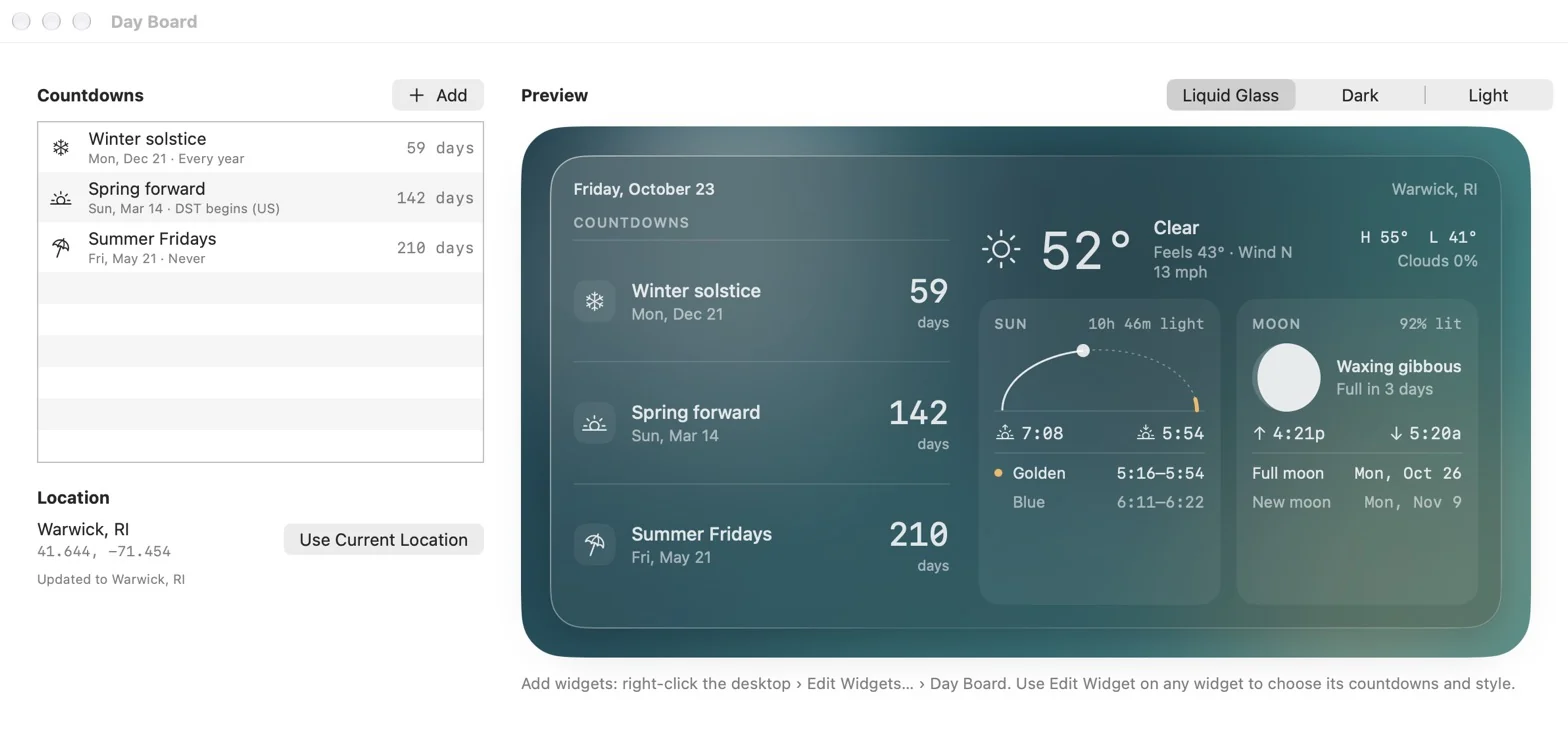
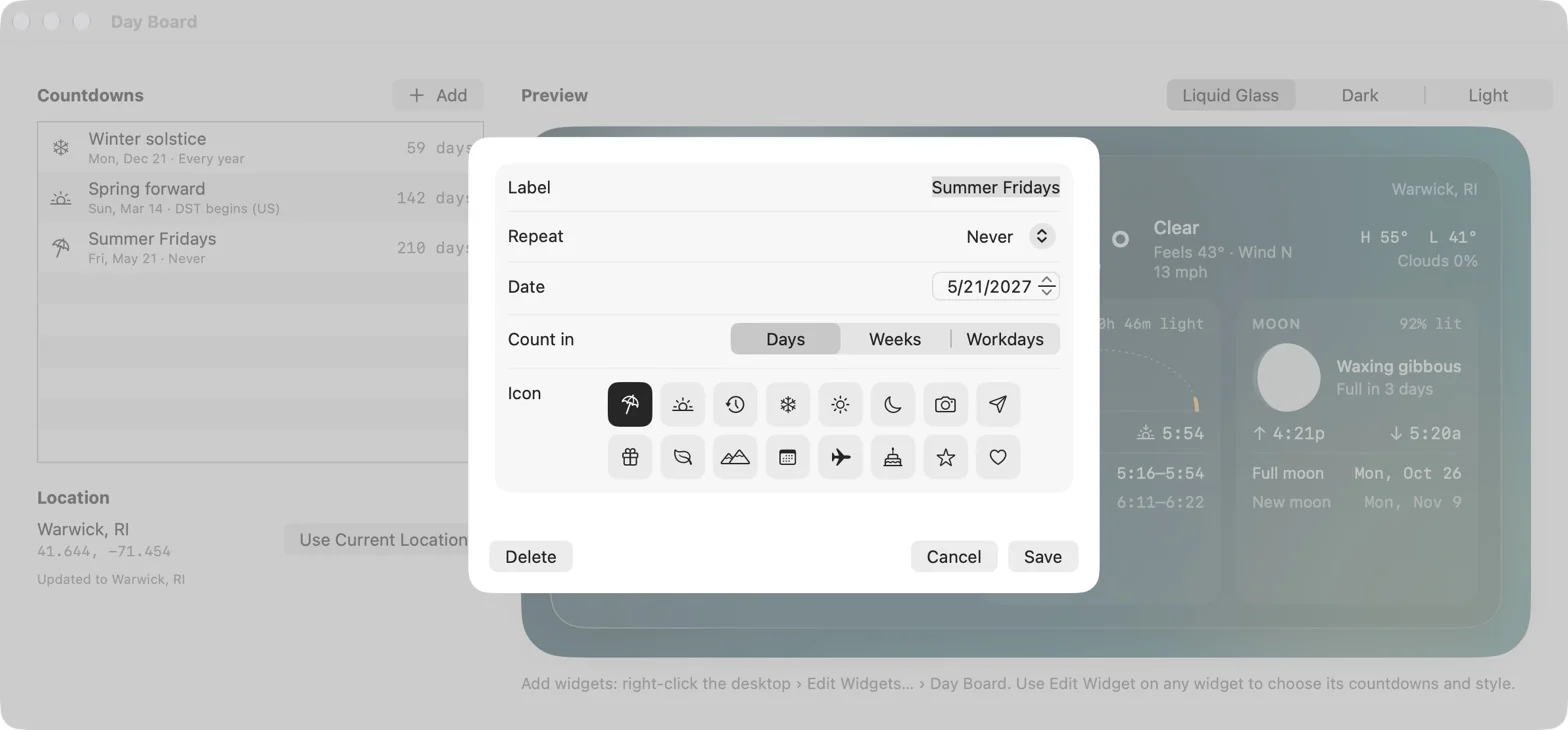
- Countdowns: each has a label, a date, an SF Symbol icon, and a unit (days, weeks, or workdays). Repeat rules cover one-off dates, yearly dates, and the US daylight saving rules, so “Spring forward” always points to the next second Sunday in March.
- Sun: sunrise, sunset, day length, evening golden hour (sun at 6°), and blue hour (−4° to −6°). An arc shows where the sun is right now.
- Moon: an accurate phase drawing, illumination, moonrise and moonset, and the next full and new moon.
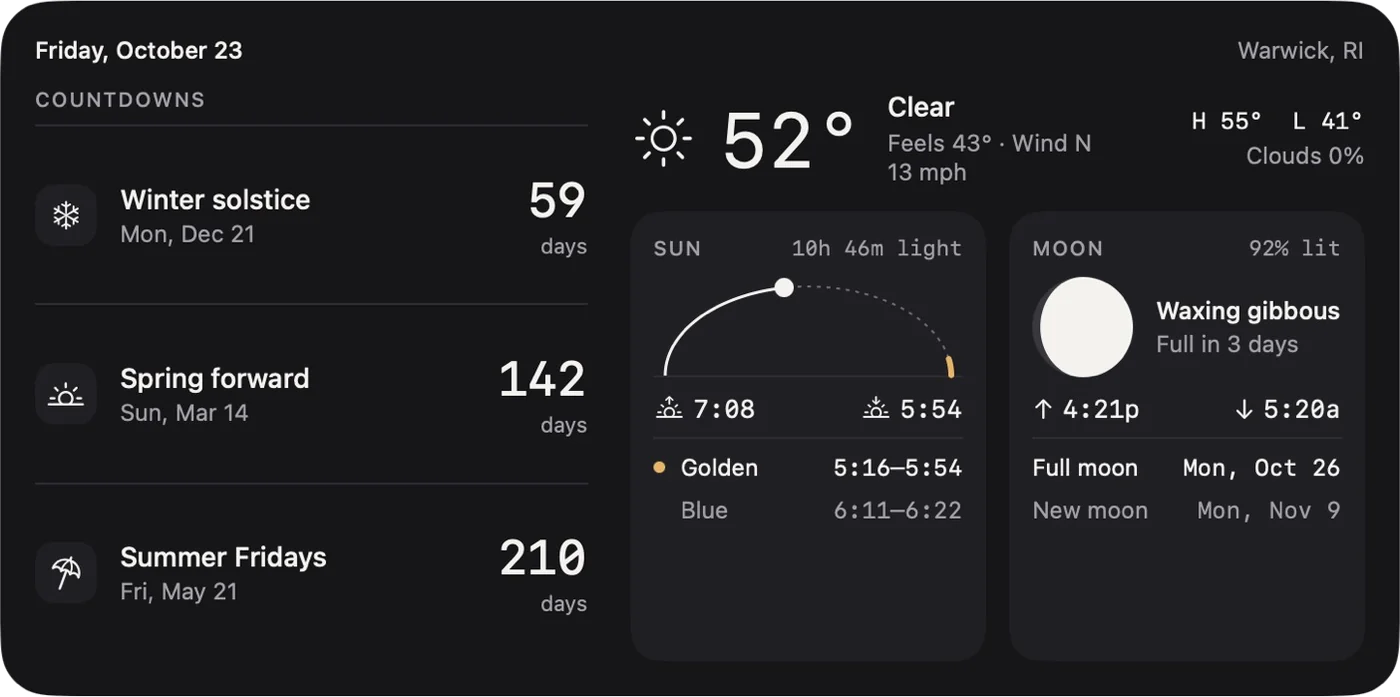
- Edit Widget: each widget chooses its own countdowns and its own style (Liquid Glass, Dark, or Light) from the native macOS widget menu.
- Companion app: add and edit countdowns, set your location in one click, and preview the board in all three styles.
Design decisions
- Monochrome, with one accent: Everything is set in one ink color plus a muted tone. The only color is an amber accent, saved for golden hour, the moment the widget exists to flag.
- Numbers as the hero: Countdown digits and times use a monospaced face so values line up and don’t jitter as they change. Labels stay small and quiet.
- Liquid Glass first: The default style uses system hierarchical colors, so macOS can render it as glass or tint it with the rest of the desktop. Dark and Light are opt-in for people who want a fixed look.
- Photographer details: Golden and blue hour are first-class, not buried in a detail view. The moon is drawn from the real illuminated fraction, not a generic icon.
- Design system before code: I mocked every size on a design canvas first (extra large, large, medium, two smalls, and the edit panel), in all three styles, then built the SwiftUI views to match.
How it’s built
Day Board is native Swift: a SwiftUI companion app plus a WidgetKit extension, sharing code and data through an app group. The app saves countdowns and location to the shared app group and tells the widgets to refresh. The widgets read that data, fetch weather, and calculate the sky locally.
- SwiftUI + WidgetKit, macOS 14 and later. One set of views draws both the widgets and the in-app preview.
- App Intents power Edit Widget, so each widget picks its own countdowns and style from the native menu.
- Sky math on device: a Swift port of SunCalc calculates sunrise, sunset, golden and blue hour, moon illumination, and moonrise and moonset with no network.
- Weather from Open-Meteo, free and keyless, cached for 20 minutes and shared across widgets.
- Shipping: sandboxed, signed with Developer ID, and notarized, so it installs like any Mac app.
Process
It went from idea to an app on my desktop in about two days, working with Claude as a design and engineering partner.
- Brief: I described what I wanted: small monochrome countdowns with icons, plus weather, sun, and moon for my location.
- Design canvas: Six artboards covering every widget size and the edit panel, using real data for my location and real countdown dates.
- Style pass: I asked for Liquid Glass as the default alongside Dark and Light, and reviewed each one visually.
- Native build: SwiftUI views matching the mockups, a widget extension, a companion app, and on-device astronomy.
- First build: The Swift code compiled on the first try. The one failure was code signing (the app and the widget extension were signed with different identities), fixed by putting both on the same team.
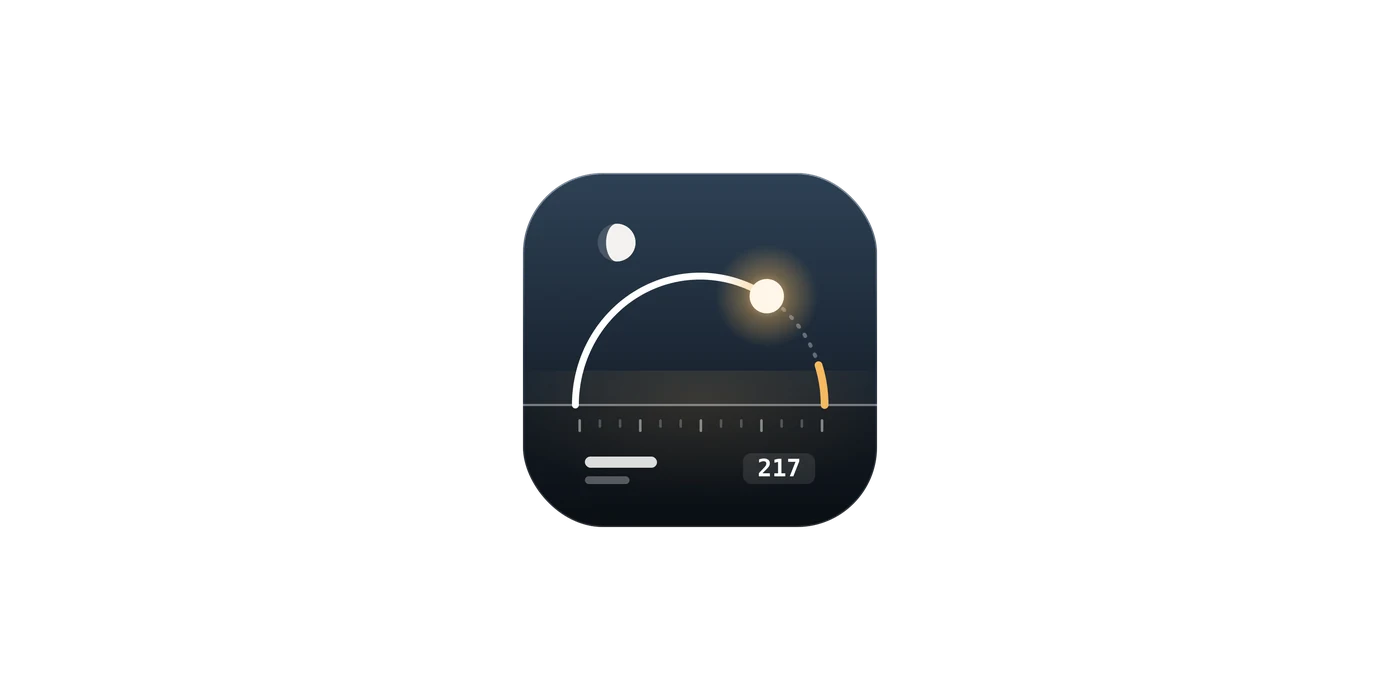
- Polish: A redone glass preview inside the app, and an app icon that reuses the widget’s sun arc, golden-hour accent, and moon.
- Ship: Archived, signed with Developer ID, notarized by Apple, and installed in Applications.
What’s next
- Hourly cloud cover on the sun card, so I can see whether golden hour will actually be golden.
- An iPhone and iPad version that shares the same countdowns.
- More repeat rules, such as the first Friday after Memorial Day, and holidays outside the US.
- An icon redrawn in Apple’s Icon Composer with layered Liquid Glass.