
Southward tells you when the aurora is worth heading out for. It follows the whole chain, from the solar wind a million miles out to the clouds over your own head, and when the chain lines up it says what to do in plain words: get ready, head out, look north. Over time it learns what it takes in your own sky, from the nights you’ve seen it. It went from spec to TestFlight in autumn 2026. The product and design direction are mine; the app and its backend were built with AI.
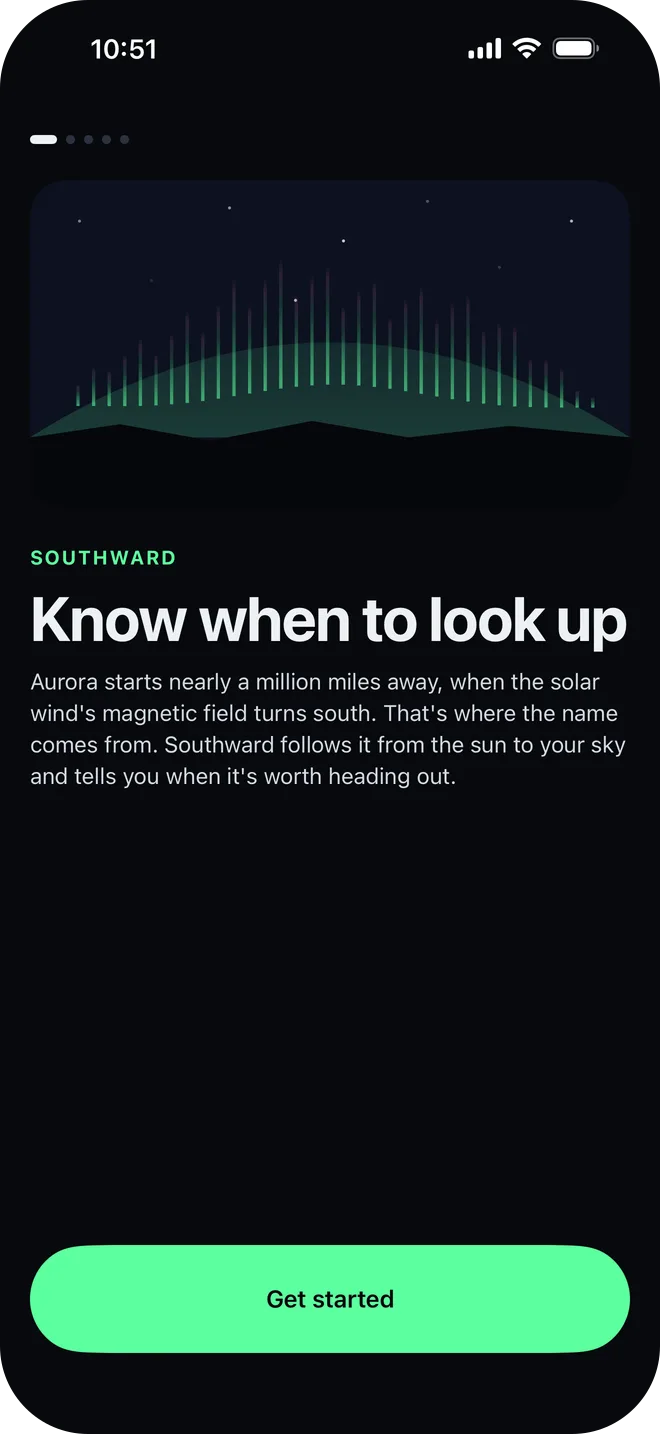
The name comes from the moment every chaser waits for. Aurora starts when the solar wind’s magnetic field turns south, “southward Bz” in the forecasts.
The problem
Most aurora alerts wait for a single number, Kp, which reports the past three hours and knows nothing about your sky. By the time it fires, the best of the show may be over, or it’s cloudy where you are. Southward is for people within reach of the aurora who have missed shows that way, from the northern US and Canada to the UK, northern Europe, Tasmania and New Zealand.
The chain as a product idea
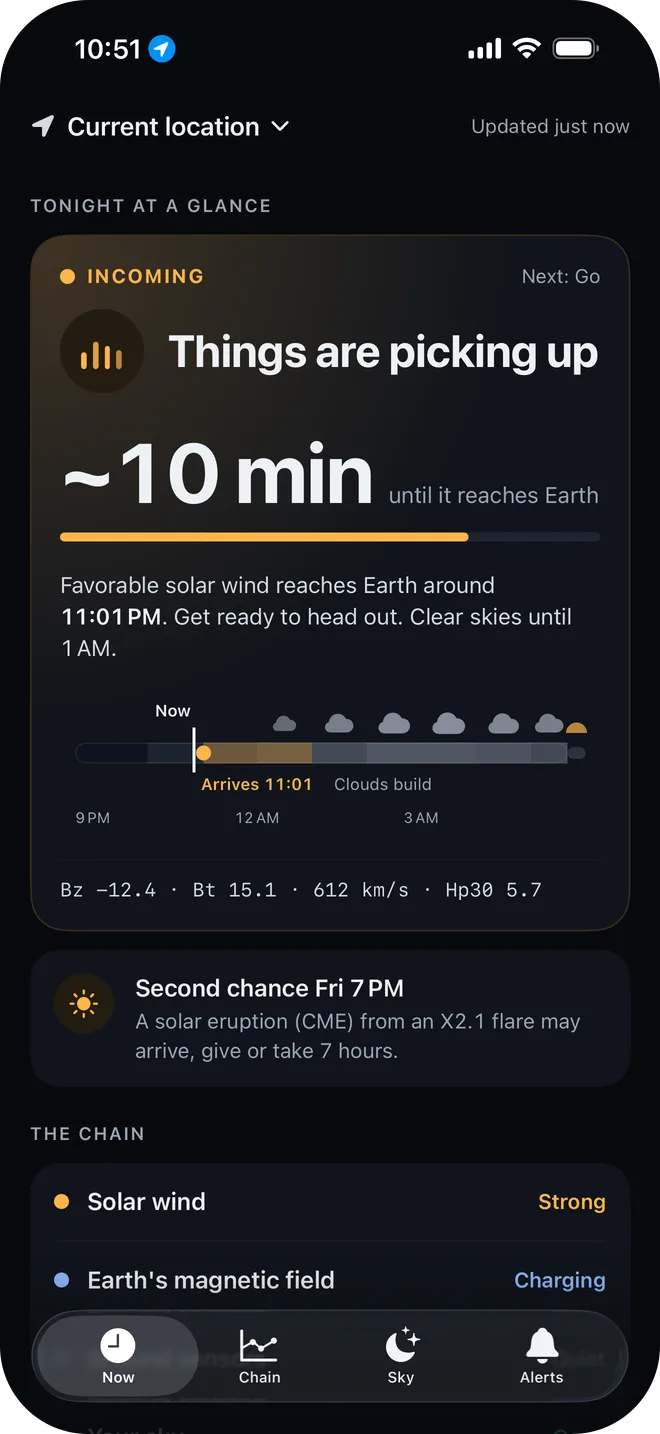
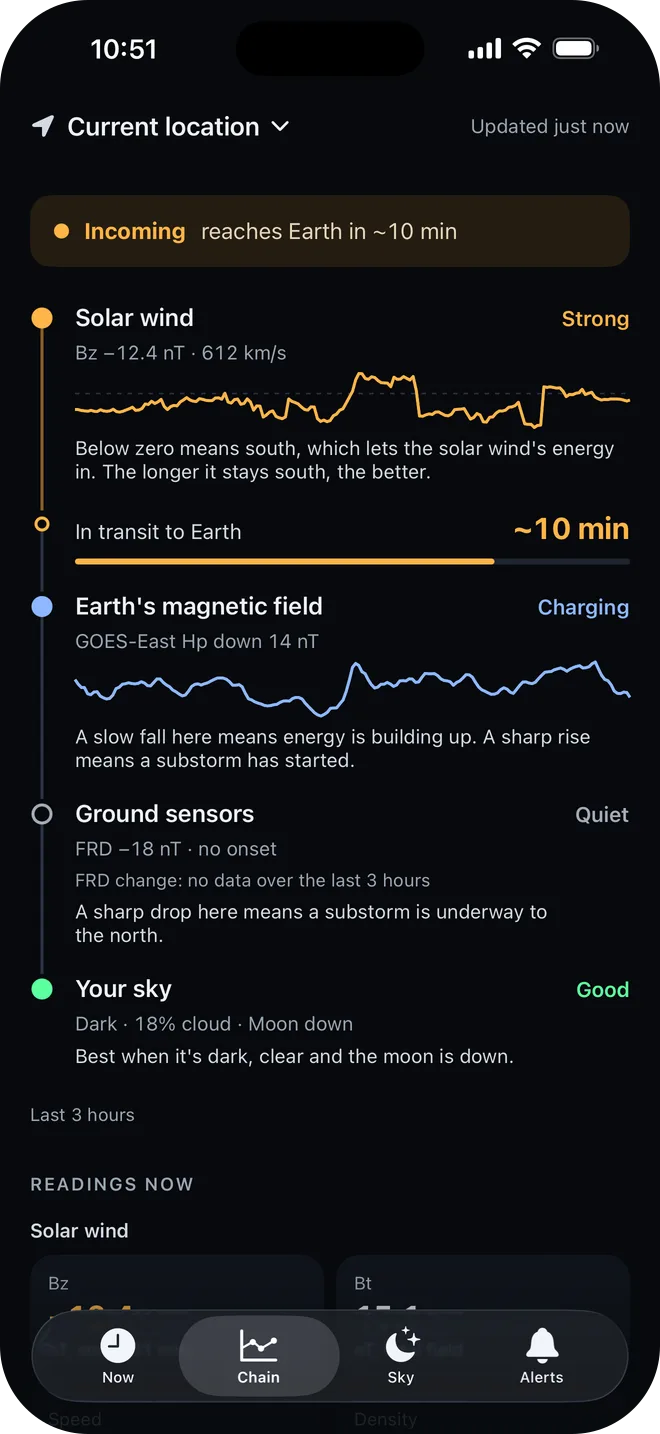
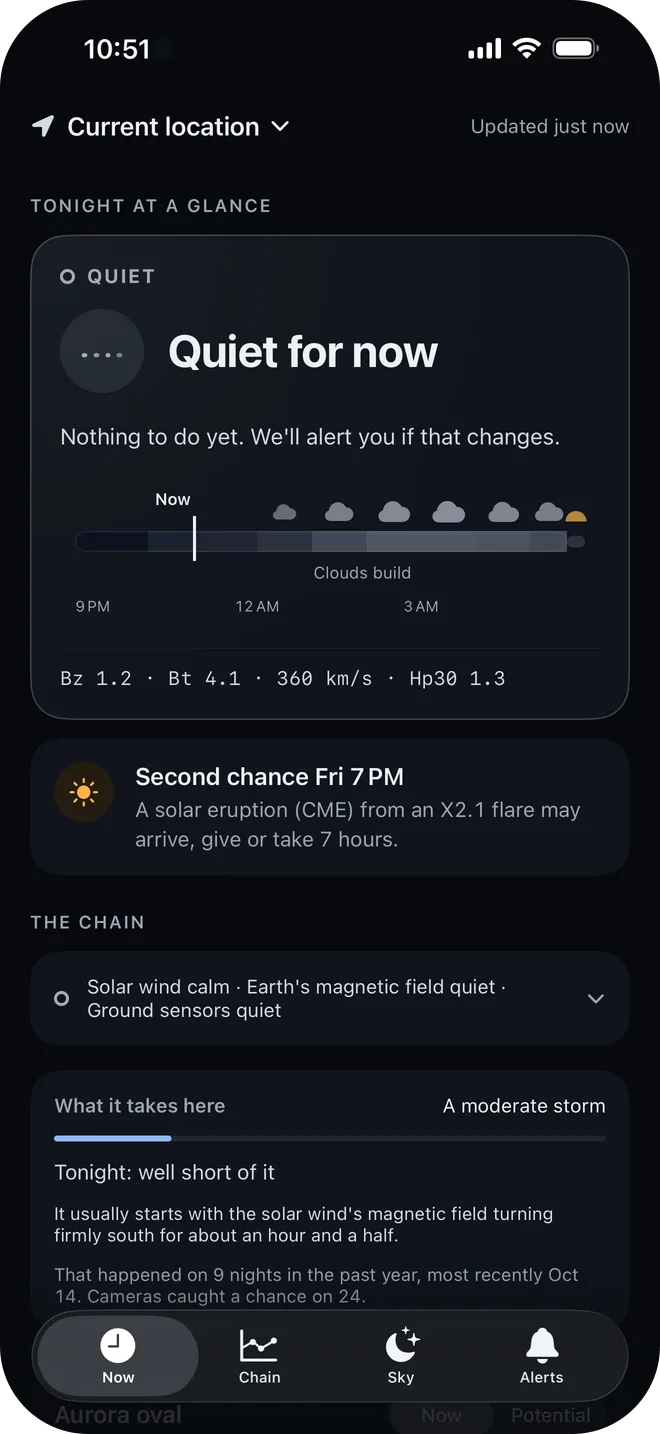
Aurora is the end of a causal chain: the solar wind, then Earth’s magnetic field, then a substorm the ground sensors can pick up, then your own sky (dark, clear, moon down). Southward is organized around that chain: the states, the colors, the cards and the alerts. Reading it as it builds is what turns the jargon into a few words of advice, and into a countdown: “Aurora energy arriving in ~10 min.”
The alerts follow the same steps:
- Aurora possible tonight: space weather is active, so check the sky after dark.
- Aurora energy arriving in ~10 min: conditions in space just turned favorable and they’re headed for Earth.
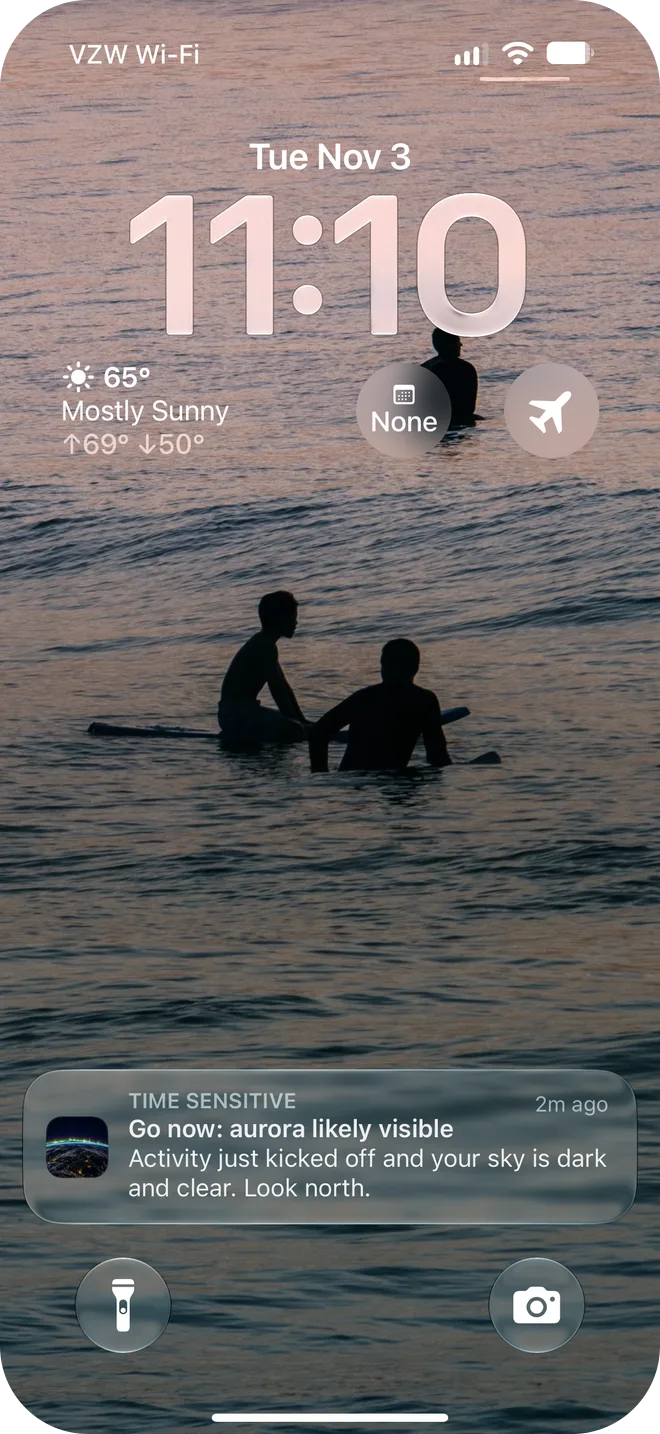
- Go now: aurora likely visible: activity has started and your sky is dark and clear. Look north. Free on the big shows for your place, and for every substorm with Pro.
Optional alerts cover the rest of the chain: big flares on the Earth-facing side of the sun, a solar eruption (CME) that may arrive, and coronal hole streams, when fast solar wind from a hole that reached Earth about 27 days ago may come around again.
It never promises a sighting. The words are “possible” and “likely”, and each alert says what to do next.
Tuned to where you stand
What you need to see aurora depends on how far north you are. The What it takes here card says it in plain words (“a moderate storm”), how many nights reached that level in the past year, and how close tonight is.
Both numbers come from real data. A year of Kp from GFZ Potsdam counts the dark nights that reached each place’s level. A fit of about two and a half years of NOAA DSCOVR solar wind data, read with a dependency-free netCDF reader, finds the usual lead-up to each level: Bz from −5 nT at Kp 3 to −22 nT at Kp 8. (Bz is the north–south part of the solar wind’s magnetic field. Below zero means south, which lets the solar wind’s energy in.)
It learns your sky
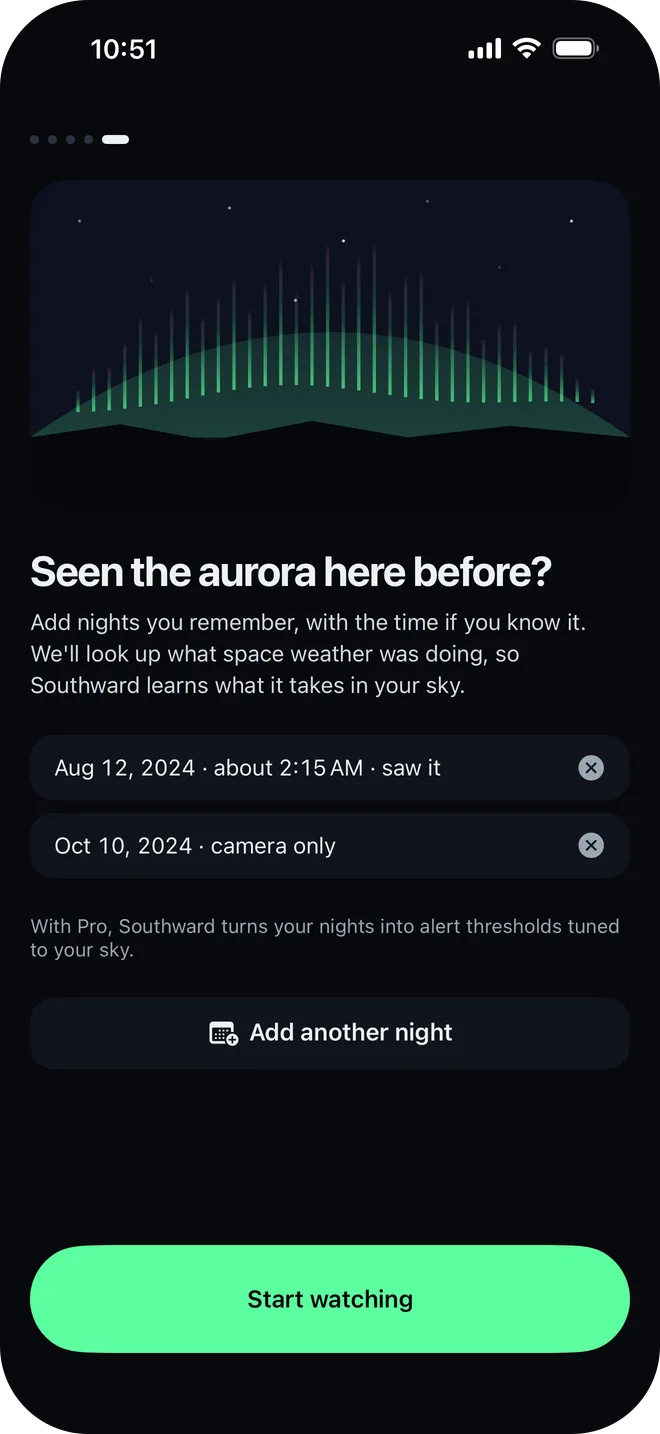
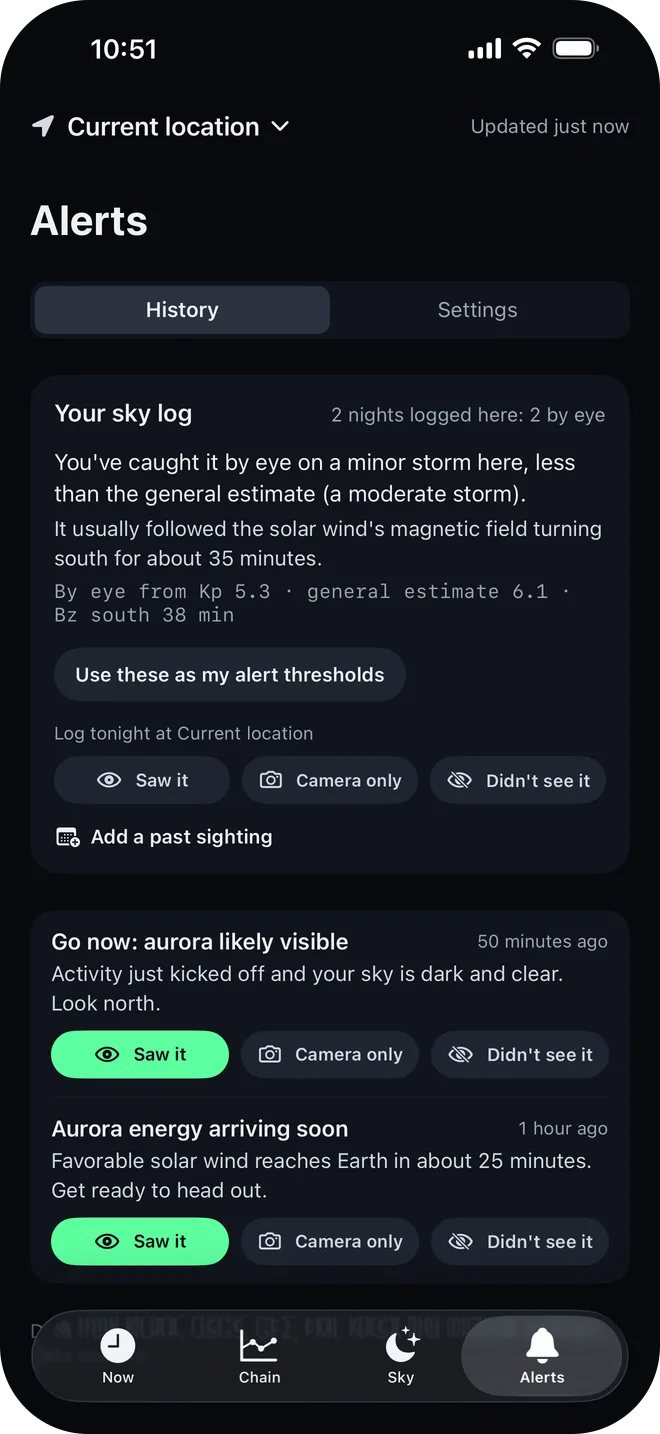
The general estimate is a starting point. Answer any alert with Saw it, Camera only or Didn’t see it, log a night with no alert, or add a sighting from years ago: pick the night, and the time if you know it, and Southward looks up what space weather was doing then in NASA’s OMNIWeb archive, which goes back to 1995. Onboarding asks the same question at the end, so the log can start with your history.
After two sightings it compares what it took in your sky with the general estimate (“You’ve caught it by eye on a minor storm here, less than the general estimate”), and with Pro it can turn that into your alert thresholds in one tap. The morning after a Go now or Incoming, a “Did you see it?” card asks, and it stays away on nights the numbers never came close.
The rest of the app
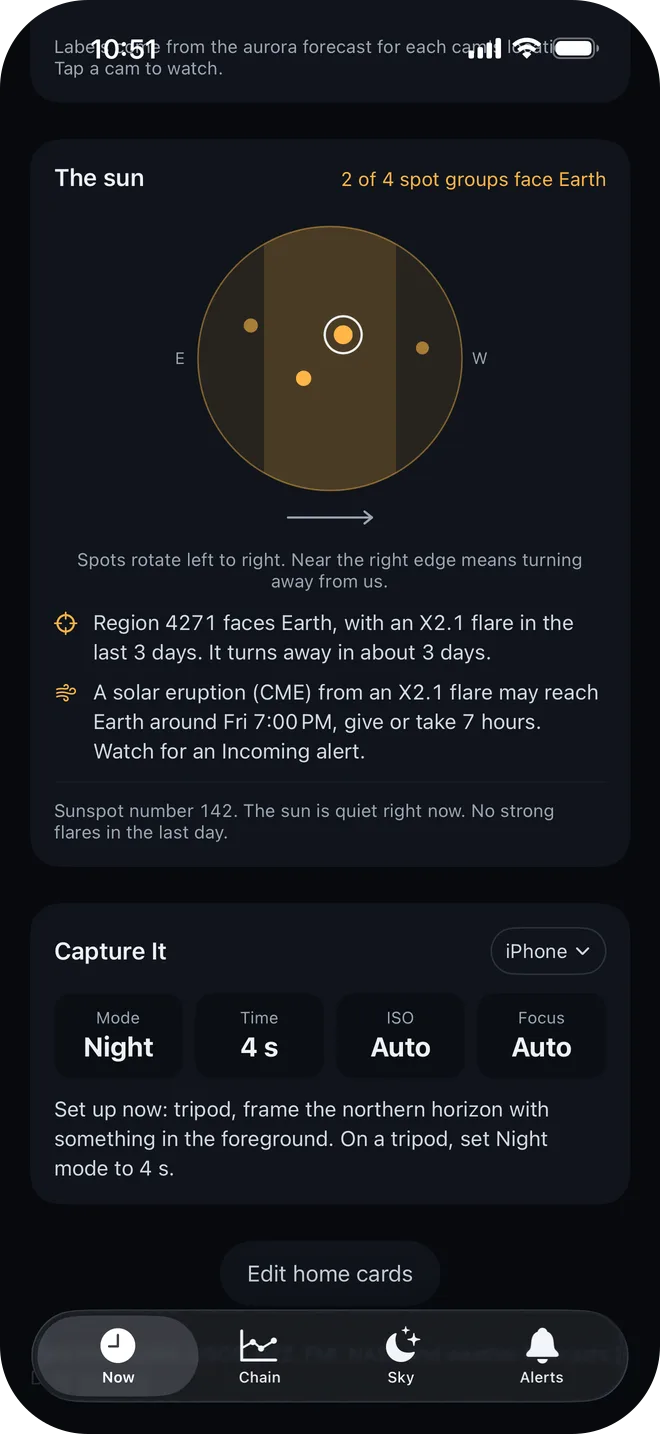
The Now screen is a stack of cards you can reorder and hide, led by Tonight at a glance: the state and what’s next, a headline, the live countdown when energy is incoming, what to do, tonight’s dark hours with clouds by the hour, and the raw numbers for anyone who wants them. On quiet nights the cards with nothing to say fold away.
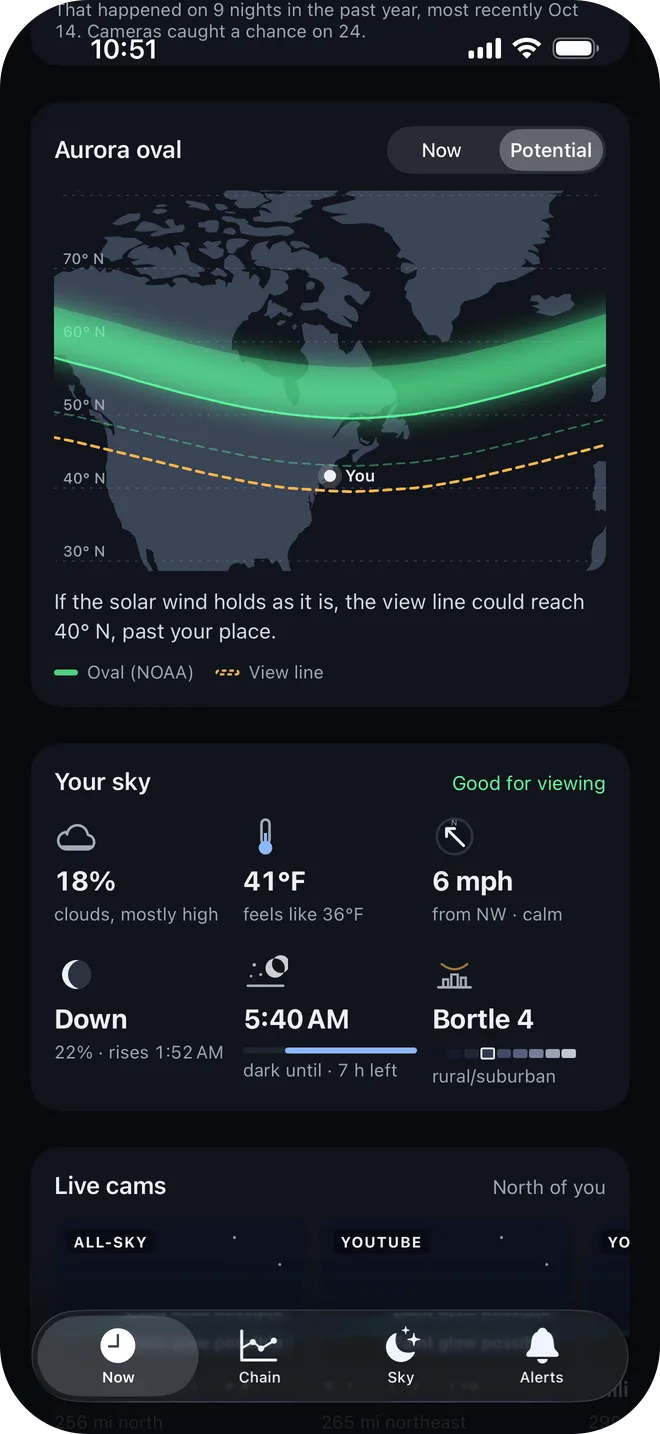
- Aurora oval: NOAA’s live oval on a map around you, the view line (how far south it may be seen low on the horizon), and a Potential tab for where that line could reach if the current solar wind holds.
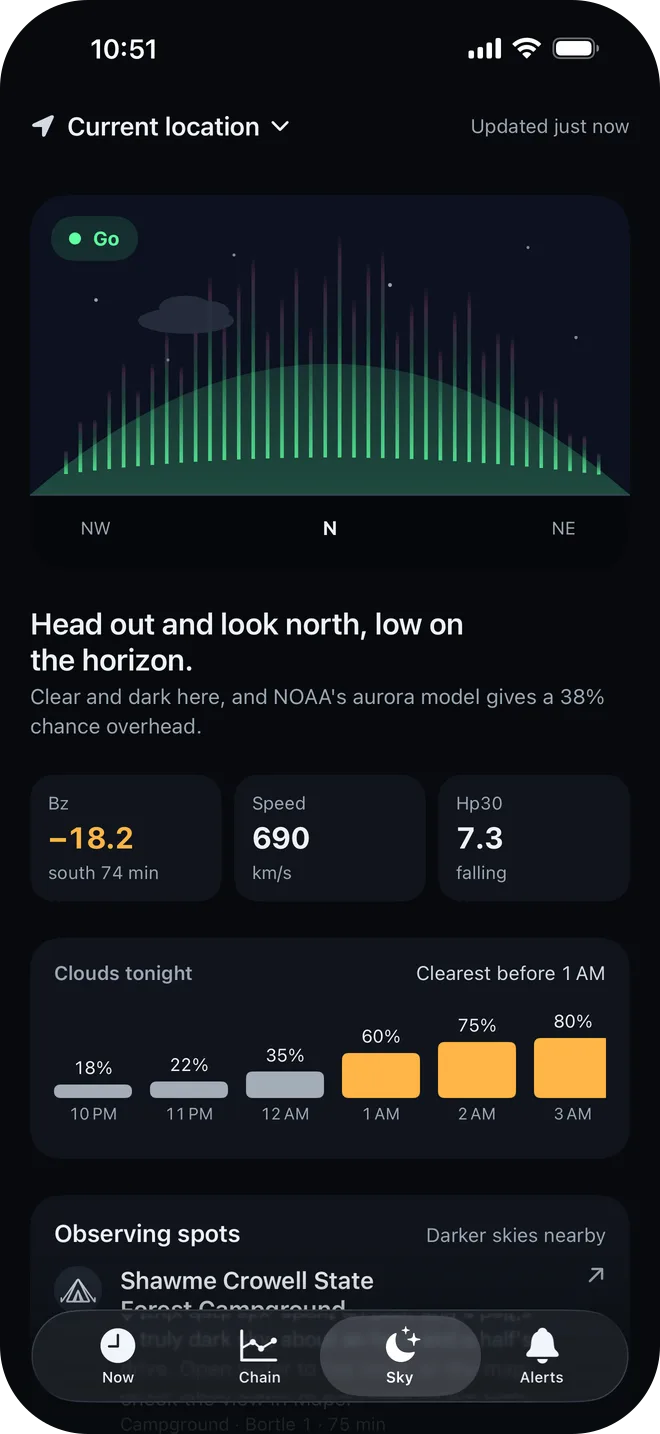
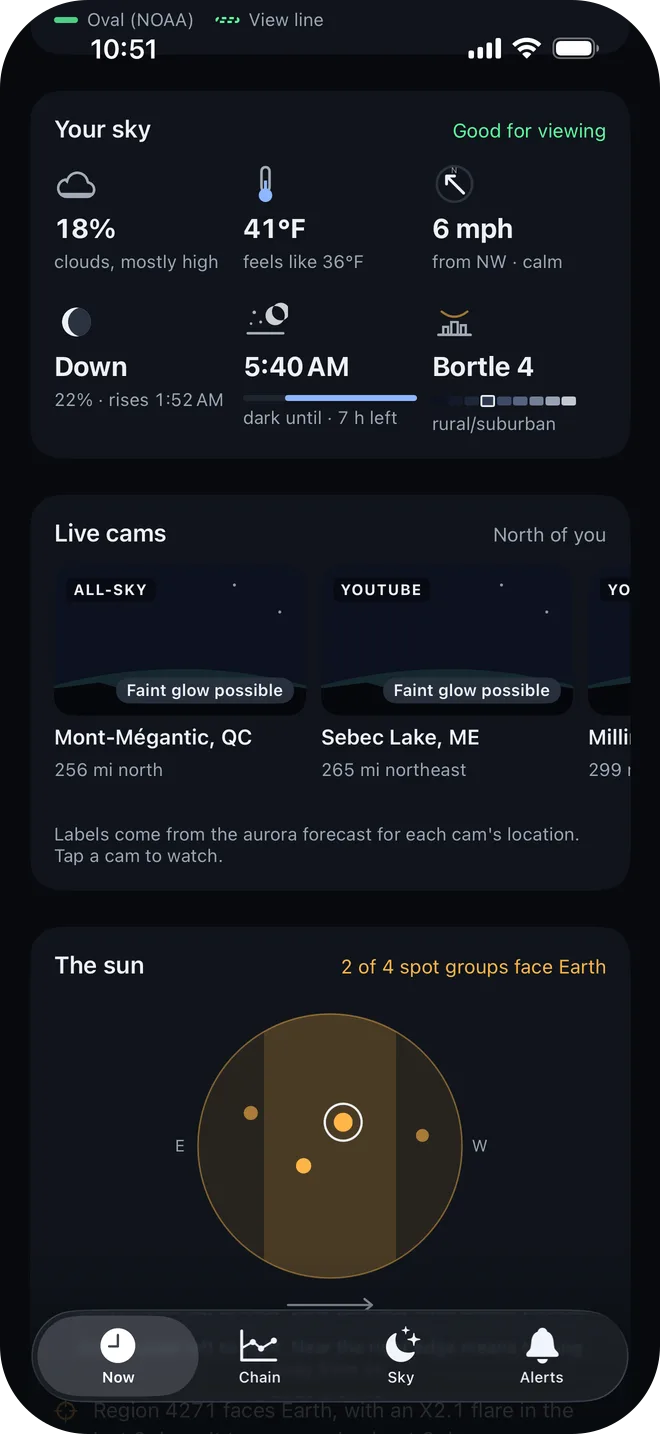
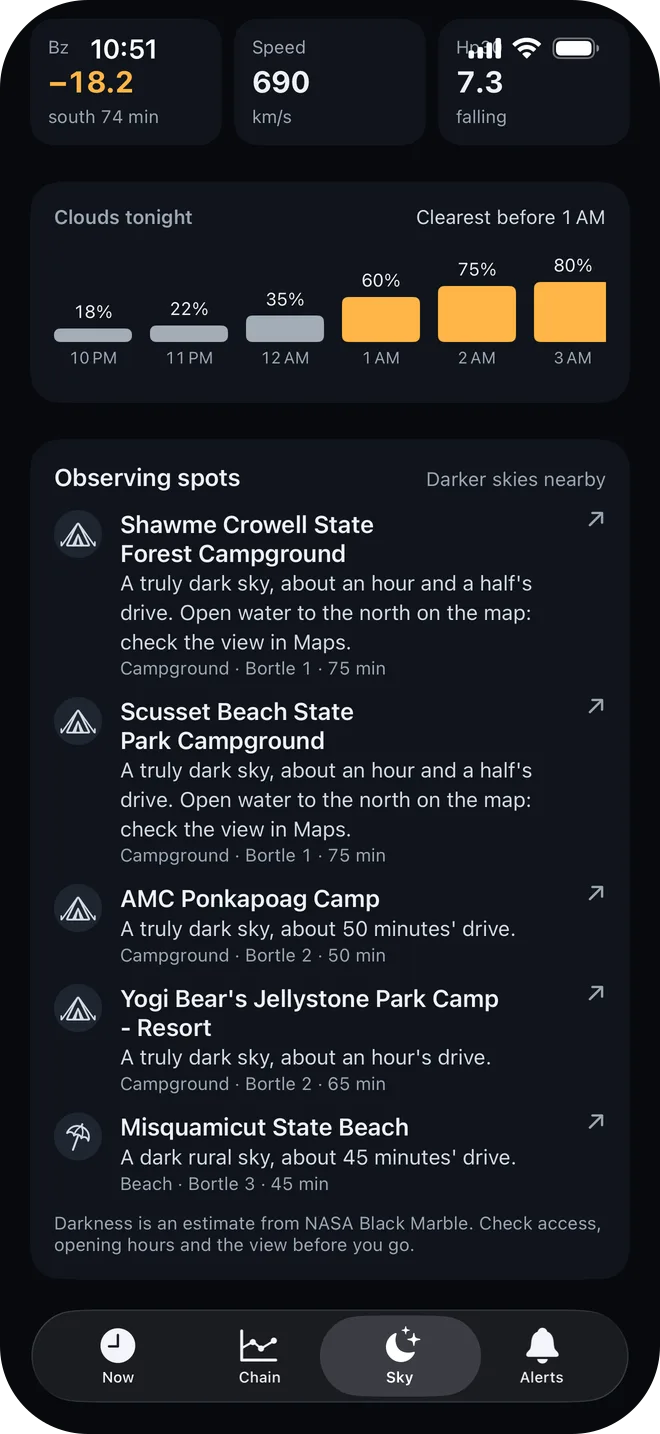
- Your sky: cloud by layer and by the hour, temperature, wind, the moon, dark hours, and an estimated Bortle class for light pollution.
- Live cams: 46 aurora webcams and all-sky cameras worldwide, nearest first, each labelled by whether the forecast says it’s seeing something, and watchable in the app.
- The sun: sunspot groups on a drawing of the disk, recent flares, any solar eruption that may reach Earth, and coronal hole streams just arrived or due back.
- Capture It: camera settings for your gear and tonight’s conditions.
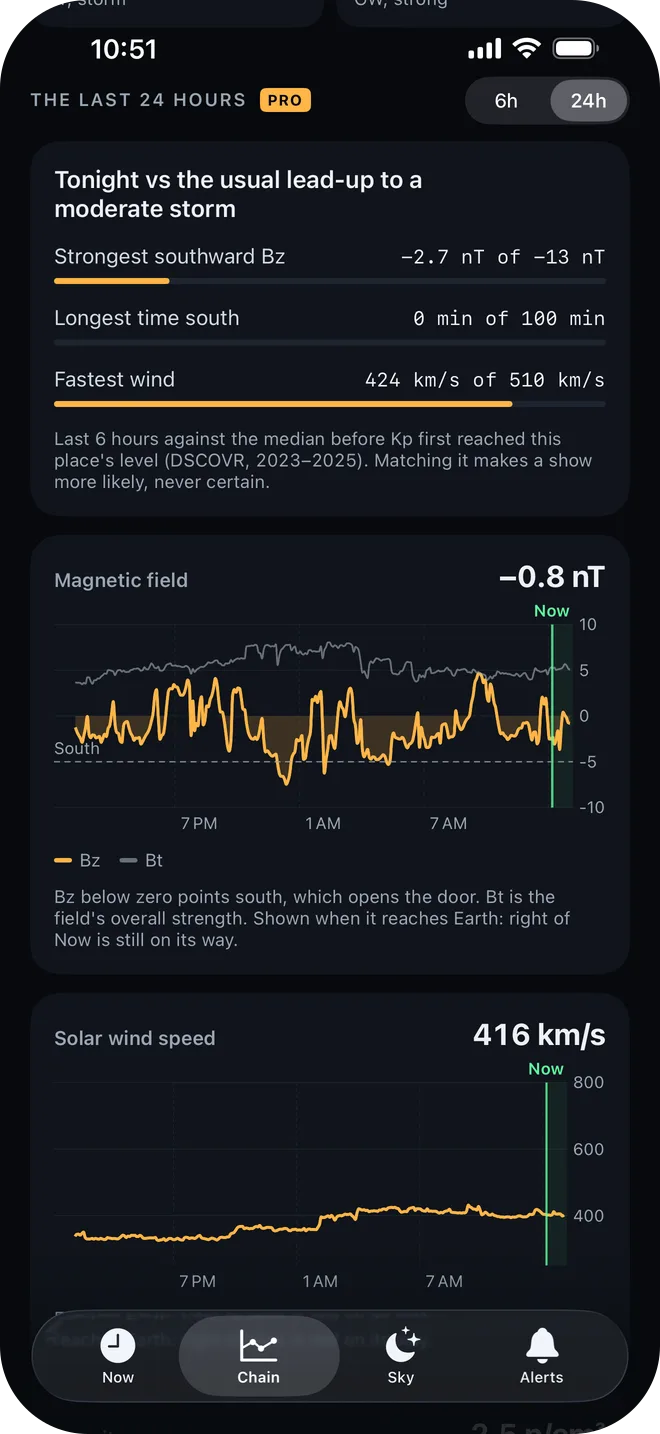
The Chain tab shows every reading now, and with Pro, 24-hour charts of each one. Solar wind is drawn at the time it reaches Earth, so the stretch right of the Now line is wind already measured and still on its way: a real look ahead rather than a forecast. Above the charts, tonight’s lead-up is set against the usual one for your place’s level. The Sky tab ends with observing spots: darker parks, beaches, campgrounds and marinas within about 90 minutes’ drive, ranked by darkness and real drive time, each opening in Apple Maps.
Widgets show the state on the Home and Lock Screens, and with Pro a Live Activity keeps the chain stage and the arrival time on the Lock Screen and in the Dynamic Island while things are active.
Design decisions
- Deterministic alerts: there’s no machine learning in the decisions. Every rule is plain code, replayed against recorded storms (May 2024 “Gannon” and October 2024) and against near misses before it ships. The sky log works the same way: plain rules compare your sightings with the general estimate, with no model guessing. Apple’s on-device Foundation Models only help with phrasing, always with a template to fall back on.
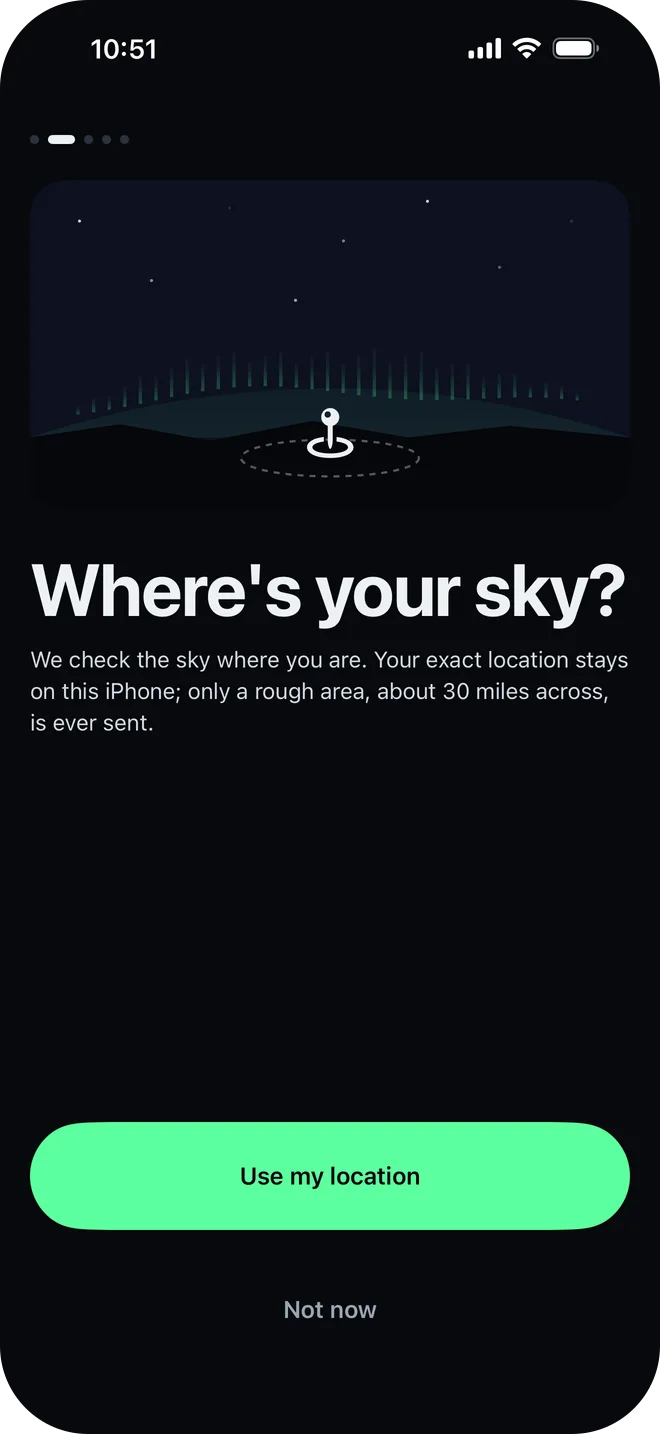
- Drawn from live data: the horizon, the sun’s disk, the oval map, tonight’s timeline and the onboarding scenes are drawn in SwiftUI from the data, with no stock imagery. The sky changes with the real sun: aurora curtains at night, a warm glow at dusk and dawn, blue sky and clouds by day.
- Calm by default: cards with nothing to say fold away, and the live cams and the oval hide in daylight. Quiet hours hold alerts back, and Go now can be allowed through.
- Plain words first: Bz, Kp, Hp30 and nT appear only where they’re explained, and the raw numbers sit underneath for anyone who wants them.
Private by design
There’s no account. The phone sends the server only a grid cell half a degree across, about 30 miles (50 km), which is enough to know your sky and nothing more. Light pollution is worked out on the phone from a per-cell NASA Black Marble grid, so exact coordinates never leave it. Sightings stay on your phone and in your iCloud.
The data is open too: NOAA SWPC and NCEI, USGS, GFZ, FMI, and NASA’s Black Marble, DONKI and OMNIWeb. Every live cam was checked on its operator’s own page rather than scraped from a list.
How it’s built
- iOS: SwiftUI on iOS 26 and Swift 6, with WidgetKit widgets, Live Activities through ActivityKit, StoreKit 2, and SwiftData synced through iCloud.
- Backend: Node 22 and TypeScript, with Postgres on Railway and push alerts through APNs.
What’s next
Southward is feature-complete and in TestFlight. Next is the App Store launch as Southward: Aurora Alerts, with a landing page at southward.app.